New research guide: The Confidence Economy, how AI is changing fashion commerce.
Peak Season, Shopify, Omnichannel
·
After the Last Shipping Day: A Christmas 2026 Local Pickup and Delivery Playbook for Shopify Fashion Brands
How Shopify fashion brands can keep selling physical products after the Christmas shipping cutoff, with pickup in store, local delivery zones and Google's pickup today annotation.
Mehul Agarwal, Founder & CEO

Last updated: October 2026
Quick answer: Once your last carrier shipping day for Christmas passes, local pickup and local delivery let a Shopify fashion brand keep taking orders that still arrive in time. Turn on Pickup in store for each location under Settings > Shipping and delivery, set a realistic expected pickup time and clear pickup instructions, add local delivery zones by postal code or radius, and show pickup availability on product pages. If you run free local listings or local inventory ads, you can also qualify for Google's "pickup today" annotation.
For online fashion brands, the carriers' last shipping days can shut the door on sales in the final week before Christmas. Our guide to US holiday shipping cutoffs for 2026 covers those dates; and gift cards are one way to keep selling after them, as we explain in our post-cutoff gift card guide. This piece covers the other option: getting physical products into shoppers' hands without a carrier, through pickup and local delivery.
It is most useful if you have a store, studio, showroom, warehouse or a holiday pop-up in a city where you have a real customer base. Everything below uses Shopify's own settings, as described in the Shopify Help Center as of October 2026.
Why pickup and local delivery matter after the cutoff
Last-minute gift shoppers have one question: will it arrive before the day? Once the standard shipping option can no longer promise that, a product page without another option loses the sale or invites a returned gift in January.
Pickup and local delivery change the promise:
Pickup can be same day or next day if the item is on hand at the location.
Local delivery is in your control, so you can keep delivering in your area after national carriers stop guaranteeing delivery.
Both suit gifting, because the shopper can choose the exact size and colour online and collect or receive it in time.
The key is setting them up in October and November, testing them, and switching your messaging to them when the cutoff passes.
Step 1: Set up Pickup in store, location by location
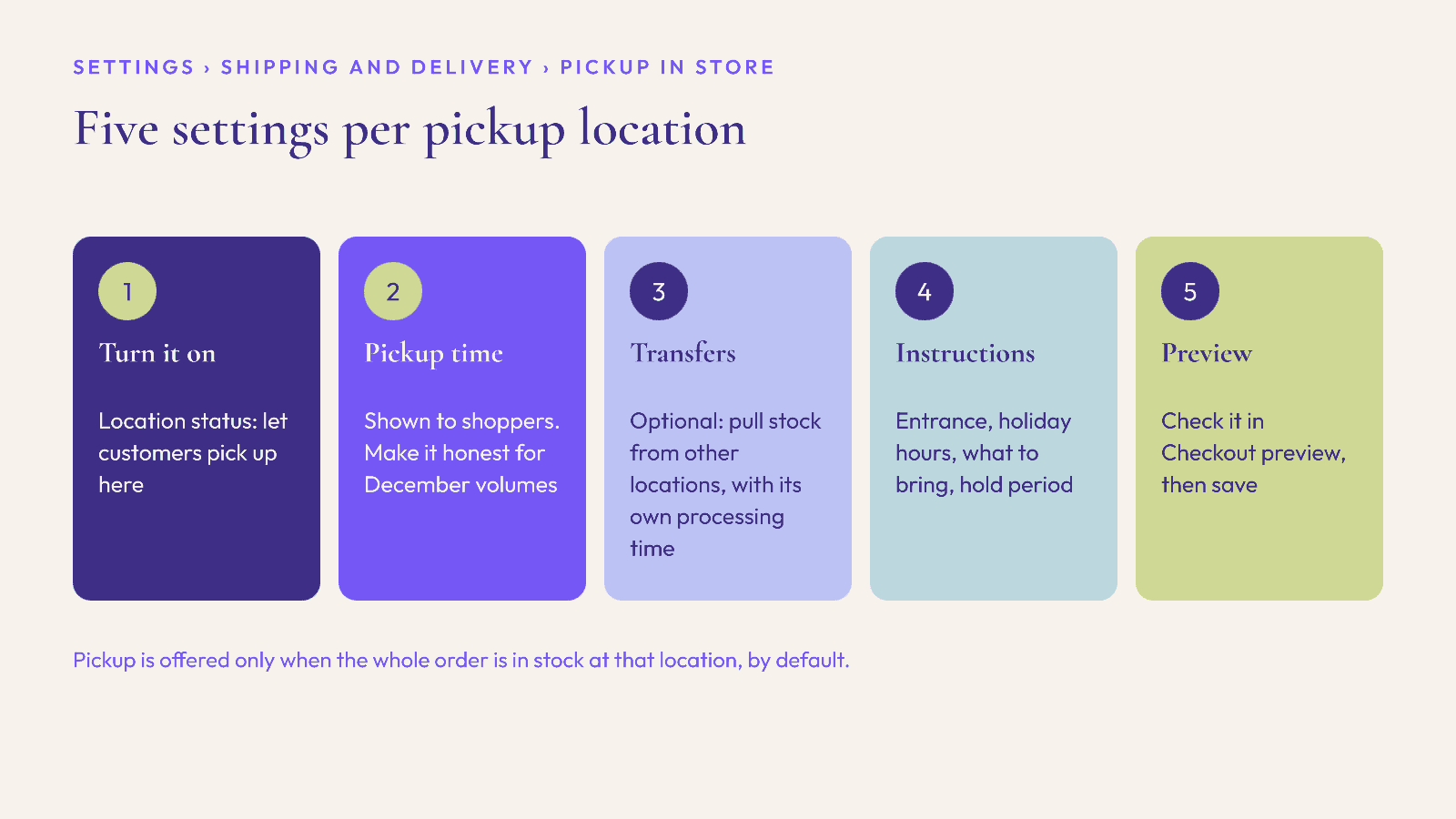
According to Shopify's Help Center page on setting up pickup in store, you configure pickup separately for each location, under Settings > Shipping and delivery > Pickup in store. For each location:
Turn it on. In Location status, select "Let customers pick up orders directly at this location."
Set the expected pickup date. Choose a processing time from the drop-down. Shopify shows this to customers, so make it honest for December volumes, not your quietest week.
Decide on store transfers. You can let a location offer pickup for items held at another location, with a different processing time when a transfer is needed. Shopify notes you can exclude collections from transfers, but not individual products.
Write pickup instructions. These go into the Ready for pickup notification. Include the entrance, opening hours over the holidays, what ID or order number to bring, and how long you will hold the order.
Preview it in Checkout preview and save.
Things to know from the same Shopify page:
Stock decides eligibility. By default, pickup is only offered when the whole order is in stock at the pickup location. Check inventory is assigned correctly to the location before December.
Checkout version matters. Your store must use the latest version of checkout.
Customers only see locations in their own country.
The location needs an associated shipping zone, even with no rates, according to Shopify's troubleshooting notes. If pickup does not appear at checkout, this is the first thing to check.
Step 2: Make "Ready for pickup" a real promise
Pickup only works if the handover is smooth. Shopify sends the Ready for pickup notification when you click Mark as ready for pickup, and can optionally send a Picked up confirmation when you mark the order collected.
For December, agree in advance:
Who marks orders ready, and how often in the day they check. A shopper who chose same-day pickup will not wait until tomorrow for the email.
Where pickup orders are stored, bagged and labelled with the order number, separate from stock on the floor.
How you handle size swaps at the counter. A shopper collecting a gift may want to check the size. Decide whether staff can exchange it there and then, and brief them.
Gift presentation. If you offer gift wrapping online, prepare pickup orders the same way.
Step 3: Show pickup availability on product pages
Pickup has the most impact when shoppers see it before they reach checkout. Shopify's Help Center explains that pickup availability can be shown on product pages in Dawn, the Horizon family of themes and some paid Theme Store themes, and otherwise a Shopify Partner can add it.
Shopify notes two conditions: the product must be stocked at a pickup location, and the variant must have the Physical product setting turned on. With several pickup locations, shoppers can click "Check availability at other stores."
After your shipping cutoff, add a short line near the size selector or in an announcement bar, such as "Still need it by the 24th? Choose pickup in store." That turns a feature buried in checkout into the reason to buy now.
Step 4: Add local delivery zones

If you have stock in a city with enough customers nearby, local delivery extends your Christmas window further. According to Shopify's Help Center page on local delivery, you set it up under Settings > Shipping and delivery > Local delivery, location by location:
Delivery zones: up to 10 per location, defined either by postal codes (wildcards like "M5V*" work) or by a radius of up to 160 km or 100 miles. Radius zones need a verified business location.
Minimum order price: optional per zone, useful if a small order is not worth a dedicated delivery run.
Delivery price: set per zone, with up to three extra conditional prices based on order value, so you can offer free delivery above a threshold.
Delivery information: an optional message that appears in the order confirmation email, the right place to state your delivery days and time windows.
Know the limits before you promise anything. Shopify's page notes that:
Shoppers cannot split an order between shipped and locally delivered items.
Among accelerated checkouts, only Shop Pay supports local delivery. Apple Pay, Google Pay, Amazon Pay and PayPal express buttons do not offer it, so shoppers who want local delivery need to go through the main checkout or Shop Pay.
Customers must give a phone number, and the address must be one Google can verify.
Third-party shipping apps can conflict with local delivery, so test the whole checkout with your apps switched on.
Step 5: Tell Google you offer pickup
If you already use free local listings or local inventory ads in Google Merchant Center, pickup can earn a "pickup today" annotation on your products. Google's Merchant Center Help explains the requirements:
You must offer same-day or next-day pickup from the time the order is placed.
Each product needs a pickup_SLA value of same_day or next_day, set in inventory data or in Merchant Center's Shipping and returns settings.
Your site must show the pickup option and its timing clearly on the product page or in checkout, let customers buy or reserve for pickup, make any pickup fee clear, and send a pickup confirmation by email or SMS.
According to the same page, Google switches to showing the next day's pickup annotation from two hours before store closing.
The UK and US are among the countries where free local listings support pickup today, according to Google's list.
Your December timeline
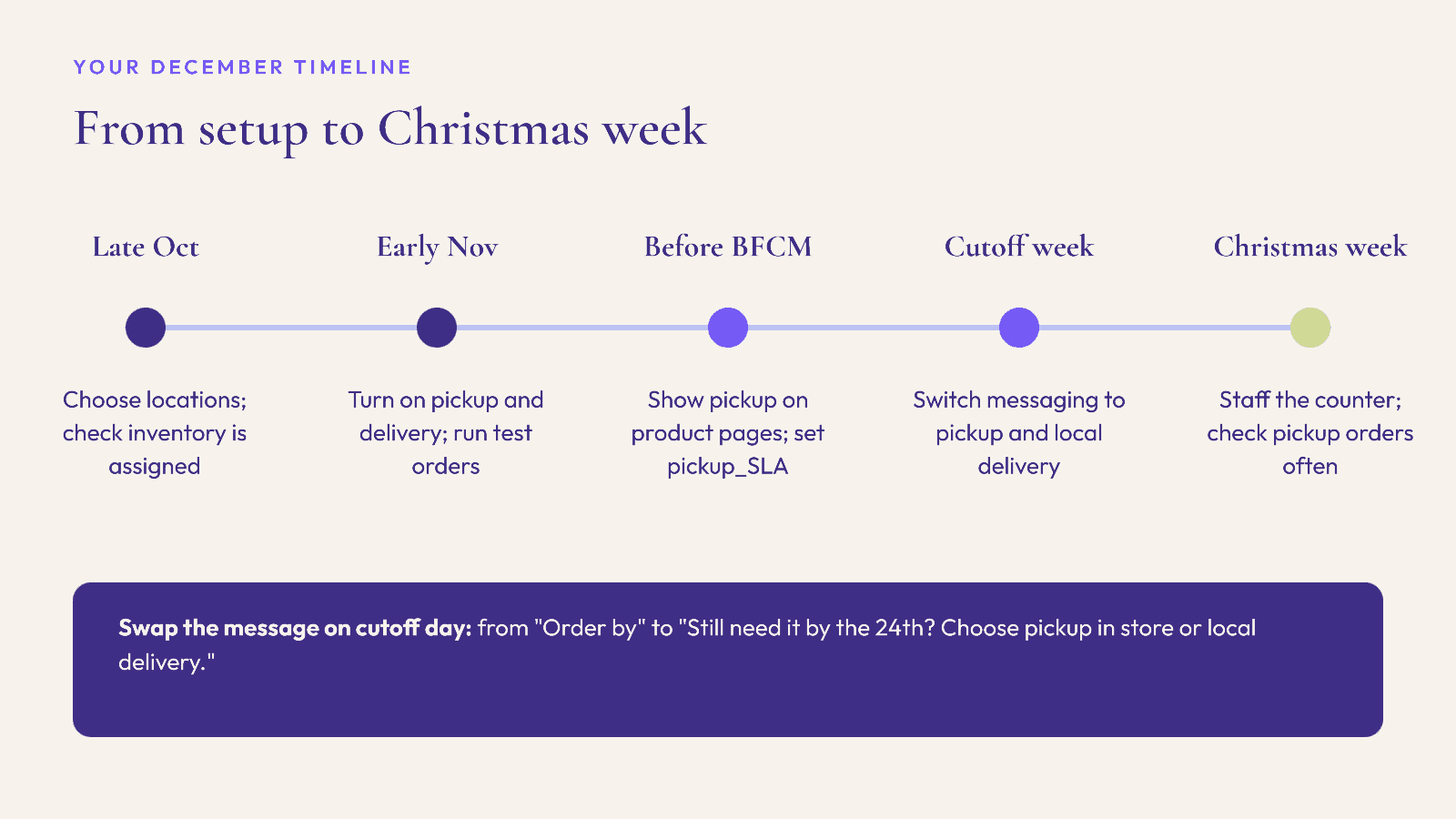
Late October: Decide which locations will offer pickup and local delivery, and check inventory is assigned to them.
Early November: Turn on Pickup in store and local delivery, write instructions, and run test orders end to end, including notifications.
Before Black Friday: Add pickup availability to product pages and check the pickup_SLA data if you use Google local listings.
The week of your last carrier shipping day: Switch site messaging from "Order by" to "Pick up or get local delivery by the 24th."
Christmas week: Staff the pickup counter, check for new pickup orders several times a day, and keep pickup instructions updated with holiday hours.
FAQ
How do I set up local pickup on Shopify?
In your Shopify admin, go to Settings > Shipping and delivery > Pickup in store, choose a location, turn on pickup, set the expected pickup time and pickup instructions, then save. Repeat for each location.
Can Shopify offer pickup for items held at another store?
Yes. Shopify lets a pickup location use store transfers from other locations, with a separate processing time when a transfer is needed. You can exclude collections from transfers, but not individual products.
How far can Shopify local delivery reach?
A radius zone can be up to 160 km or 100 miles from a verified business location, or you can define zones by postal code. Each location can have up to 10 delivery zones.
Does local delivery work with Apple Pay or PayPal express checkout?
According to Shopify's Help Center, only Shop Pay supports local delivery among accelerated checkouts. Shoppers who want local delivery should use the standard checkout or Shop Pay.
What does Google need for the "pickup today" label?
Free local listings or local inventory ads, same-day or next-day pickup, a pickup_SLA value for each product, and a website that shows the pickup option clearly and sends a pickup confirmation.
Should I still sell gift cards after the cutoff?
Yes, they work well alongside pickup. Gift cards suit shoppers who are not near a location, and pickup suits those who are.
Help last-minute shoppers decide faster
Pickup and local delivery solve the "will it arrive?" question. The other question late-December shoppers ask is "what should I buy them?" Elara for Commerce is an AI shopping assistant for Shopify fashion brands that helps shoppers describe the person and the occasion, then builds complete looks from your catalog. As an industry benchmark, Rep AI's 2025 data puts average order value 25% higher with AI shopping assistants. Book a demo or start a 30-day free trial before your holiday traffic peaks.
Keep reading

Peak Season, Compliance, Shopify
Selling to the EU This Christmas? The GPSR Checklist for Shopify Fashion Brands (2026)
What the EU General Product Safety Regulation means for Shopify fashion brands shipping Christmas orders to the EU: product page information, the EU responsible person, labels, accidents and recalls.

Peak Season, Accessibility, Conversion
Black Friday 2026 Accessibility Check: What the European Accessibility Act Means for Shopify Fashion Stores
What the European Accessibility Act asks of online stores, and a five-week plan to fix sale prices, swatches, size charts, pop-ups and forms on a Shopify fashion store before Black Friday.

Peak Season, Reviews, Compliance
BFCM 2026 Review Requests: What the FTC and UK Fake Review Rules Mean for Shopify Fashion Brands
How to ask for, reward and moderate post-Black Friday reviews under the FTC's Consumer Reviews and Testimonials Rule and the UK DMCC Act, with a pre-peak checklist.