New research guide: The Confidence Economy, how AI is changing fashion commerce.
Peak Season, Shopify, Operations
·
BFCM 2026 Site Readiness Checklist: A Six-Week Countdown for Shopify Fashion Brands
Black Friday 2026 is November 27. A week-by-week countdown for Shopify fashion brands covering catalog and size data, speed, checkout, code freeze and the fashion-specific checks most stores miss.
Mehul Agarwal, Founder & CEO
Quick answer: Black Friday 2026 is Friday, November 27, and Cyber Monday is Monday, November 30, which puts Cyber Week at November 26 to 30. That leaves Shopify fashion brands about six weeks from mid-October. Use them in order: audit and plan, fix the catalog and size data, speed up the store and trim apps, test checkout and promotions, then freeze code and prepare support about ten days out. The checklist below breaks that into one week at a time.
Most BFCM advice is generic ecommerce advice. Fashion stores have extra failure points: size runs that sell out unevenly, fit questions that spike support tickets, outfits that only convert when shoppers can see the full look, and gift buyers who do not know the recipient's size. This playbook is built around those.
If you are still deciding on offers and channel strategy, start with our earlier Q4 and BFCM preparation guide. This post is the operational countdown that comes after the plan.
The BFCM 2026 calendar at a glance
Thursday, November 26: US Thanksgiving. Many brands open early access offers.
Friday, November 27: Black Friday.
Saturday, November 28: Small Business Saturday, the American Express-founded day for independent retailers.
Monday, November 30: Cyber Monday.
Working back from November 27 gives you roughly six working weeks from today. The order of the weeks below matters more than the exact dates: catalog and speed work has to land before you freeze code, and testing has to happen on the version of the store you will actually run.
Six-week BFCM readiness countdown
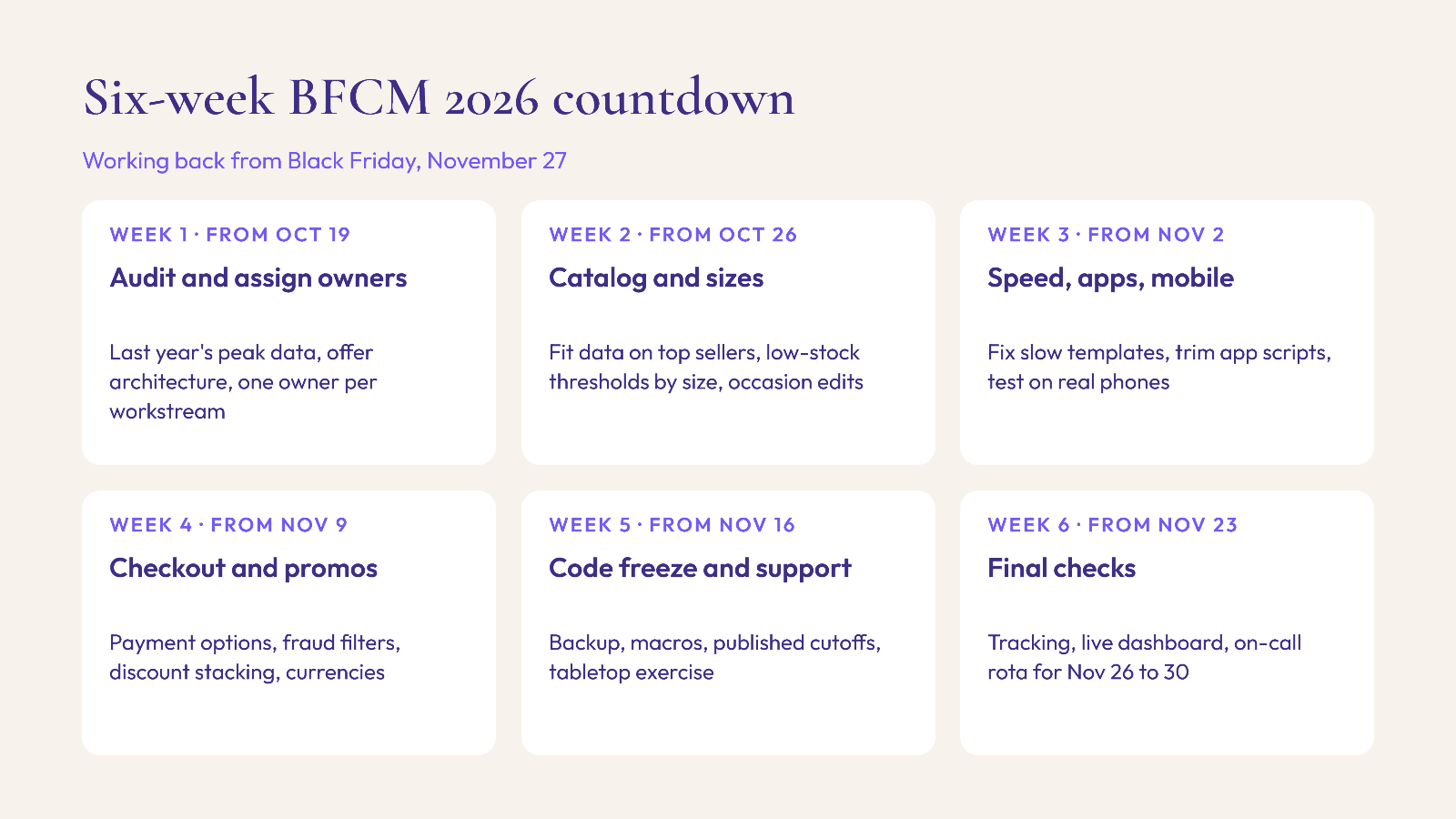
Week 1 (from October 19): audit and assign owners
List every BFCM workstream (merchandising, site, promotions, inventory, fulfilment, support, analytics) and give each one a single owner.
Pull last year's peak-week data: top-selling collections, sizes that sold out first, the most common support questions and the most returned products.
Decide your offer architecture now, including any bundles, gift-with-purchase or tiered offers, so the site work in the next weeks has a fixed brief.
Week 2 (from October 26): catalog, sizes and merchandising
Audit size and fit data on your top 50 BFCM products: size charts, model measurements, fabric and stretch notes. Missing fit information tends to turn into returns and support tickets during a high-volume week.
Set low-stock thresholds by size, not just by product. A dress with only XS and XXL left behaves like a sold-out product for most shoppers.
Build occasion and gifting collections for the season, such as party, travel and gifts by budget. Our holiday party occasion edits guide covers this in detail.
If you use an AI shopping assistant, confirm the catalog sync is current and that tags, colours and occasions are clean. An assistant can only recommend what the catalog describes well.
Week 3 (from November 2): speed, apps and mobile
Check Shopify's web performance reports and fix the slowest templates first, usually collection pages with heavy images.
Audit apps. Remove or defer scripts from apps you no longer use, and test the impact of each remaining widget on load time.
Test the full mobile journey on real devices: menu, filters, size selection, add to cart, checkout. Make sure buttons are easy to tap and text is readable at larger font sizes.
Our Shopify speed guide for fashion stores walks through the technical fixes.
Week 4 (from November 9): checkout, payments and promotions
Make sure more than one payment option is enabled and test buy-now-pay-later flows on mobile.
Review fraud filters so legitimate high-value orders are not blocked.
Test every discount in a draft order, including how codes stack with bundles and automatic discounts, and schedule promotions in your store's time zone.
If you sell internationally, preview prices in each currency and check duties messaging.
Week 5 (from November 16): code freeze and support prep
Set a code freeze for non-critical changes. Only critical fixes ship after this point.
Take a clean backup and test that you can restore it.
Write support macros for the predictable questions: sizing, delivery dates, returns windows, gift receipts and order changes.
Publish shipping cutoffs and holiday returns windows on product pages, cart and FAQ. See our US holiday shipping cutoffs playbook.
Run a tabletop exercise: walk through what happens if a hero product oversells, a payment gateway fails or a promotion code breaks.
Week 6 (from November 23): final checks and Cyber Week
Confirm tracking and conversion events fire on the order confirmation page.
Build a live dashboard for revenue, conversion rate, average order value, top products and sell-through by size.
Schedule an on-call rota with clear escalation for the whole of Cyber Week, November 26 to 30.
The fashion-specific checks most stores miss
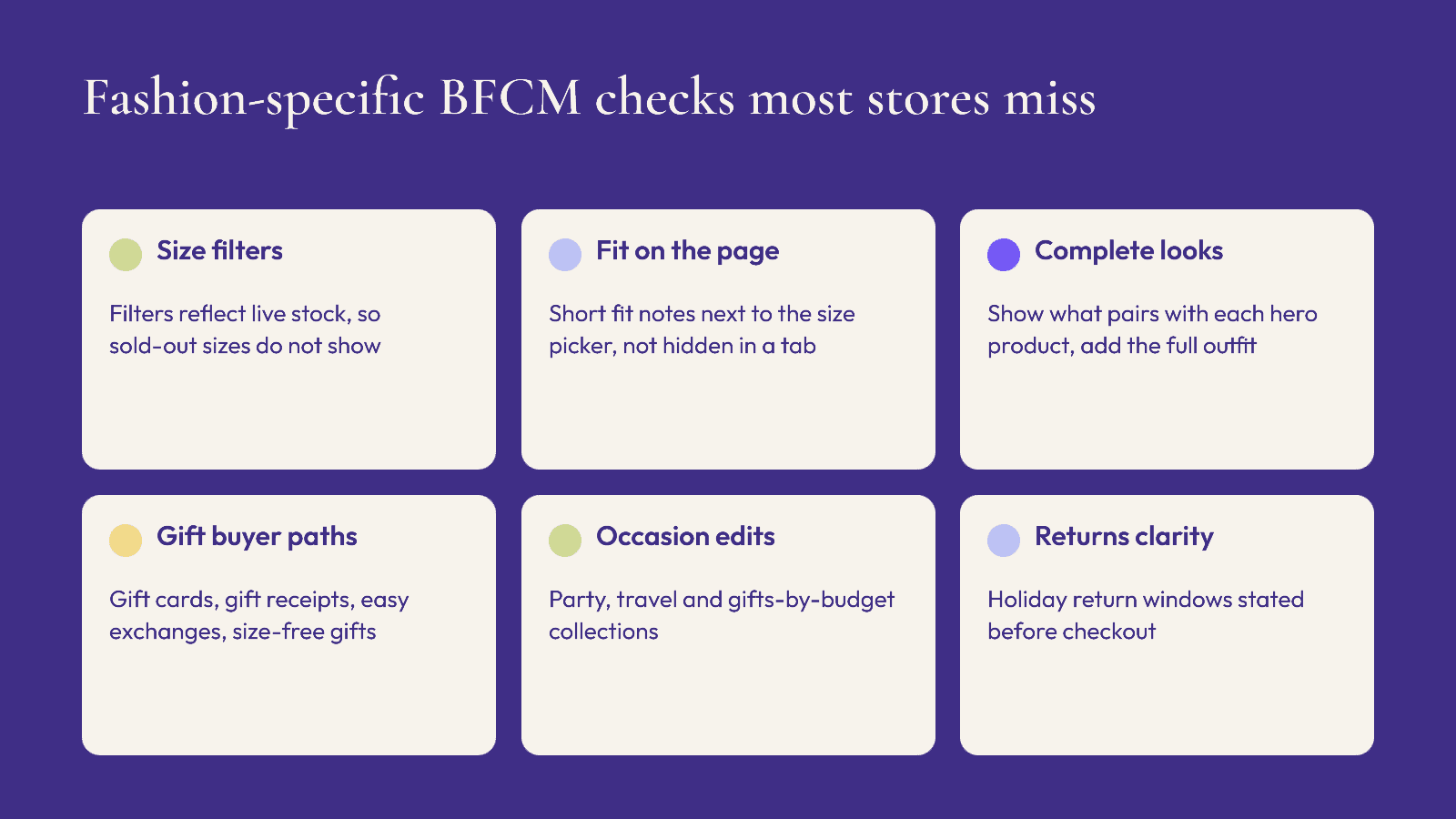
Generic BFCM checklists cover servers, payments and email. Fashion stores need a few more:
Size availability on collection pages. Shoppers filter by size. If filters show products where their size is sold out, browsing turns into frustration. Make sure size filters reflect live inventory.
Fit guidance on the product page itself. Do not hide it behind a tab. Short notes such as "runs small, size up" or "relaxed fit" answer the question that would otherwise go to support.
Complete-look merchandising. Fashion shoppers often buy outfits, not items. Show what pairs with each hero product, and make it easy to add the full look.
Gift buyer paths. Gift buyers often do not know the size. Offer gift cards, easy exchanges, gift receipts and size-flexible items like scarves, knitwear and accessories.
Returns messaging. Be clear about holiday return windows. Clarity before purchase is easier than handling disputes in January. Our holiday returns playbook covers turning returns into exchanges.
Where an AI shopping assistant fits in your BFCM plan
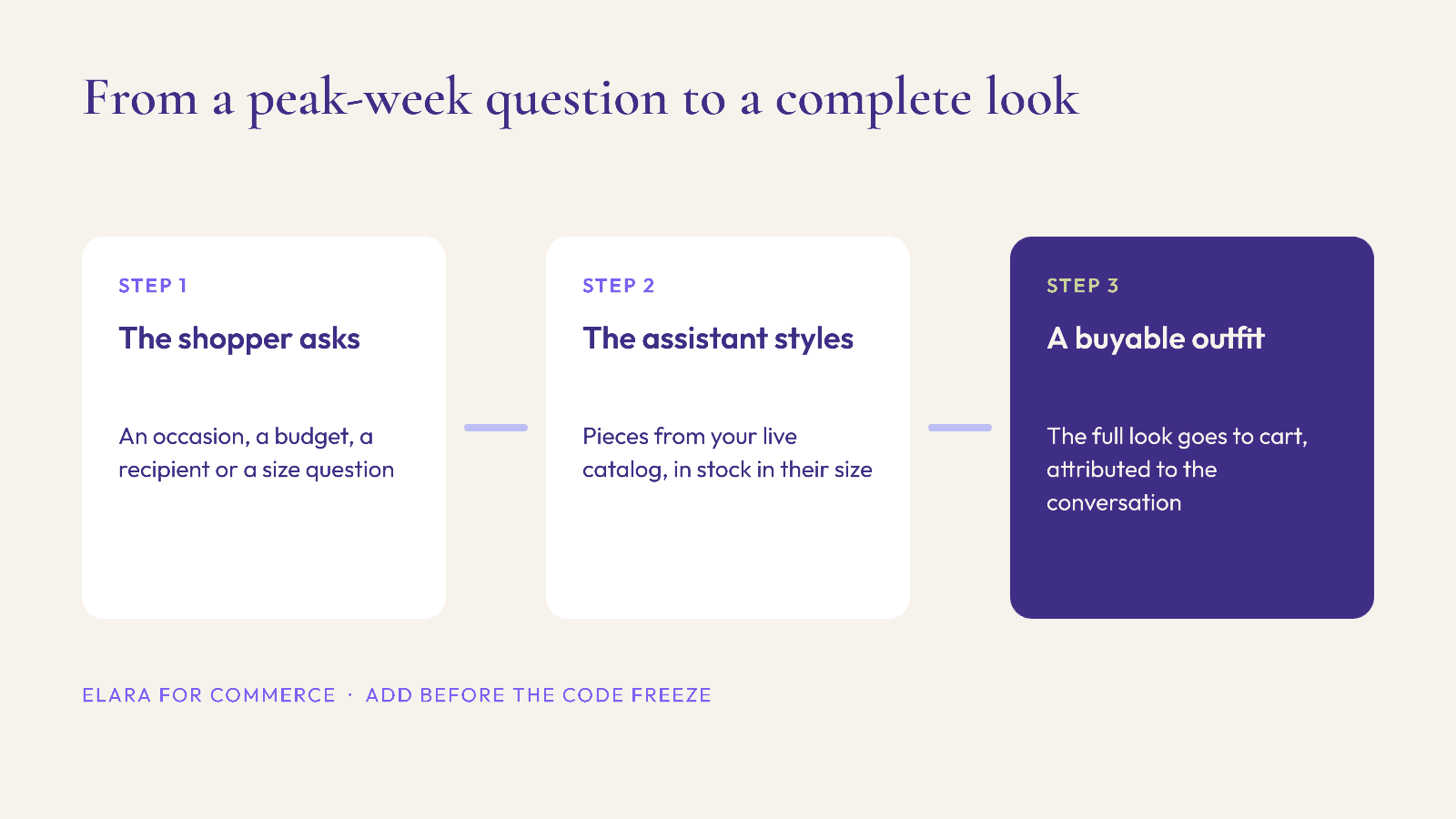
Peak week compresses a lot of questions into a few days: what to wear to a party, what goes with this, which size, what to buy for someone else. Human support teams cannot answer all of them in real time, and most shoppers will not wait.
An AI shopping assistant built for fashion can handle these styling and occasion questions on the site itself, turning a vague request into a complete, buyable outfit from your catalog. As industry benchmarks, Neuwark (2026) reports a 4x conversion rate for shoppers who use AI shopping assistants, and Rep AI (2025) reports 25% higher average order value. These are industry figures, not guarantees for any single store, so measure your own results.
If you add one before BFCM, do it in weeks 1 to 3, not during the freeze. Give it time to sync your catalog, learn your occasions and be tested on mobile.
FAQ
When is Black Friday 2026?
Black Friday 2026 is on Friday, November 27. Cyber Monday is on Monday, November 30, and Small Business Saturday is on Saturday, November 28.
When should a Shopify store start a code freeze before BFCM?
A common approach is to freeze non-critical changes around ten days before Black Friday, which for 2026 means mid-November, with only critical fixes allowed after that.
What should fashion brands check before Black Friday?
Size and fit information, low-stock thresholds by size, size filters that reflect live inventory, complete-look merchandising, gift buyer options, mobile checkout, discount stacking and clear holiday returns messaging.
How do I reduce returns during BFCM as a fashion brand?
Put fit guidance on the product page, show size availability accurately, offer exchanges and gift receipts, and publish clear holiday return windows before shoppers buy.
Should I add new apps right before Black Friday?
Only if there is time to test them. Add new tools in the first half of the countdown and avoid installing anything during the code freeze.
Get ready for BFCM with Elara
Elara for Commerce is an AI shopping assistant made for fashion brands on Shopify. It turns occasion and styling questions into complete looks from your catalog, with try-on and revenue attributed to each styling conversation. Start the 30-day free trial, or book a demo to see it running on your catalog before Cyber Week.
Keep reading

Peak Season, Promotions, Shopify
BFCM 2026 Discount Stacking on Shopify: How Discount Combinations Actually Calculate
Which Shopify discounts can combine, the order they apply in, the limits that bite during Cyber Week, and a test routine to run before 27 November.

Peak Season, Operations, Shopify
BFCM 2026 Shopify Flow Automations: 7 Workflows Fashion Brands Should Set Up Before Black Friday
The Shopify Flow workflows that take routine Cyber Week jobs off your team: low-stock alerts, size-aware sold-out rules, risk holds, VIP tags and a scheduled end-of-sale clean-up.

Peak Season, Marketing, Compliance
GivingTuesday 2026 Charity Promotions: What Shopify Fashion Brands Must Disclose in the US and UK
Planning a give-back capsule for 1 December? How to state the donation clearly, what US and UK rules expect, product-page copy you can adapt, and a launch checklist.